

Wombo is a free application with the ability to turn still photos into animated videos. This application is integrated with artificial intelligence, will automatically recognize the face in the portrait photo, then create dynamic effects to change facial expressions and especially create mouth effects on the face. will move along to the songs that the user has selected.
With Wombo, you can create very funny and interesting videos from portraits of yourself or your friends, making the photos sing along to your favorite songs.
For Android users, you can download the latest version of the app here (installation of .apk file format) or here. For iOS users, you can download the app here.
The usage of the app on Android and iOS versions is similar. The article will show you how to use it on the application for the Android platform, which users can follow with the iOS version of the application.
When you first launch the application, you need to press the “Allow” button to grant Wombo permission so that the application can take photos, process and save the images on the smartphone. Click the "Get Started" button at Wombo's main interface to start using.
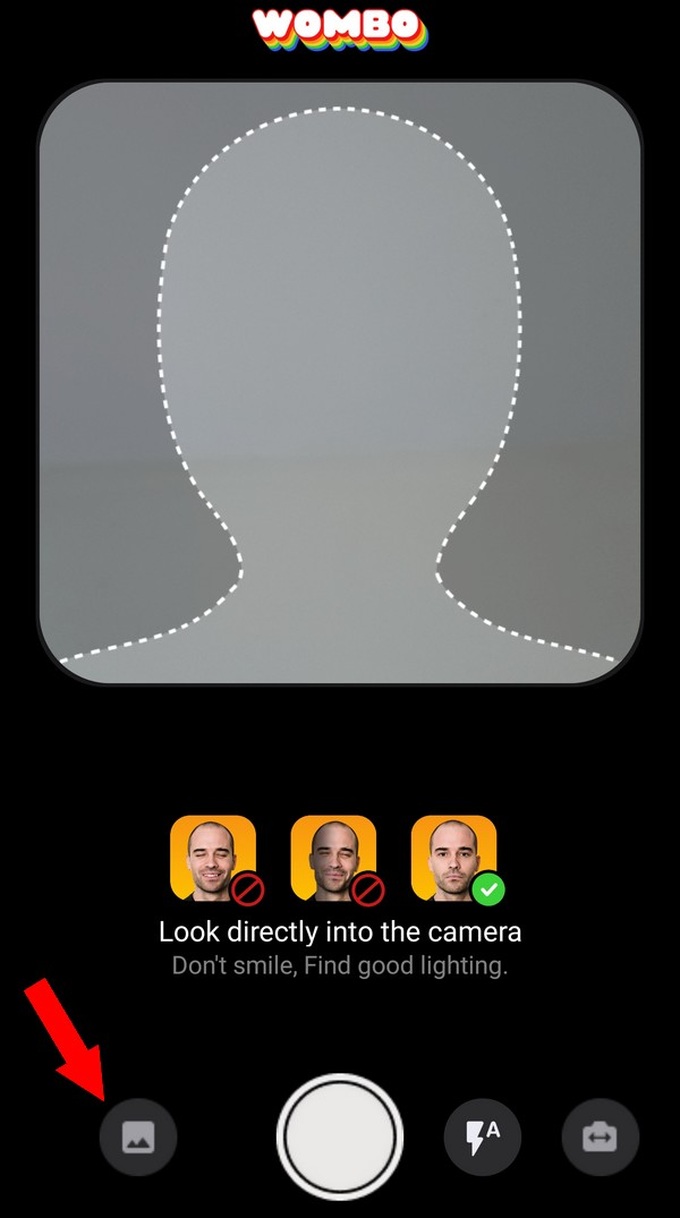
Wombo will ask the user to take a selfie to start processing. You align your face to fit the frame on the application before pressing the photo button. The more you take a photo of your face, the more accurate and reasonable the animation will be.
In case you want to process images available on smartphones, click on the image icon in the left corner, select the image to create an animation effect.
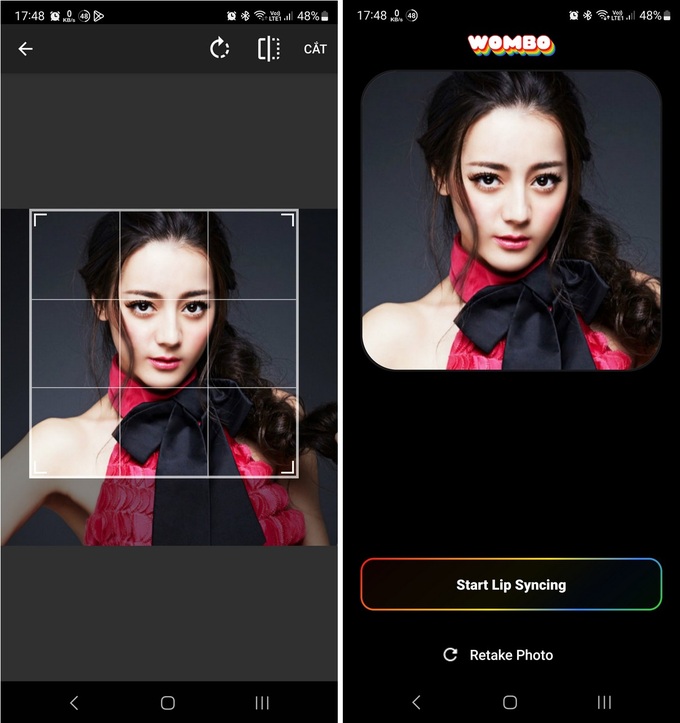
After taking or selecting a satisfactory image, Wombo will ask the user to crop the image to the correct 1:1 ratio (for the images you choose from the smartphone that are not in the correct ratio). Press the "Crop" button at the next interface to crop the image to the correct ratio of the application, then press the "Start Lip Syncing" button.
Next step, you find and choose one of the songs provided by Wombo. You can pre-tap on each song to preview the content. Wombo will criticize a short part of the songs, instead of singing the whole song.
You can click the icon in the upper left corner to display a list of songs by topic, such as classic songs (Classic), love (Love), songs that are "hot" ( Trending) or famous songs used on TikTok (TikTok)…
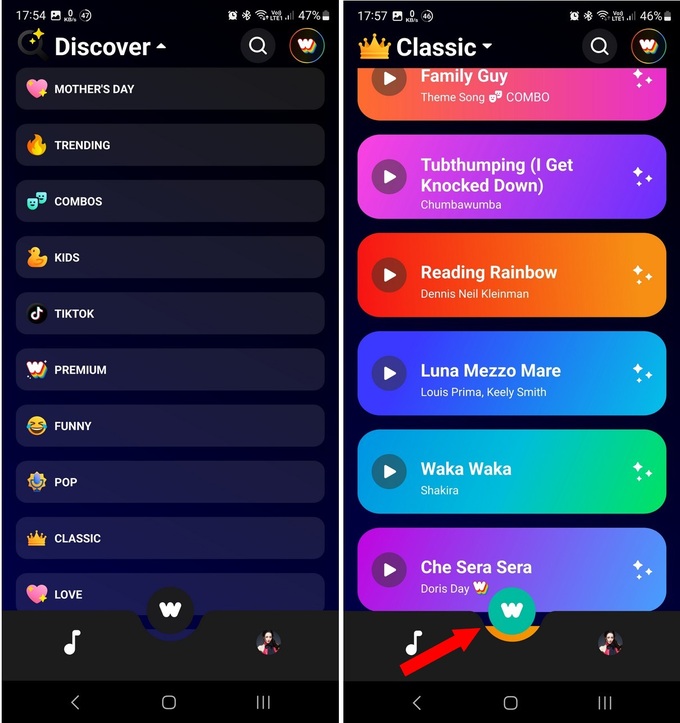
After choosing a song you like, click on Wombo's icon (the "W") at the bottom, the application will start the process of creating animations on your chosen portrait image.
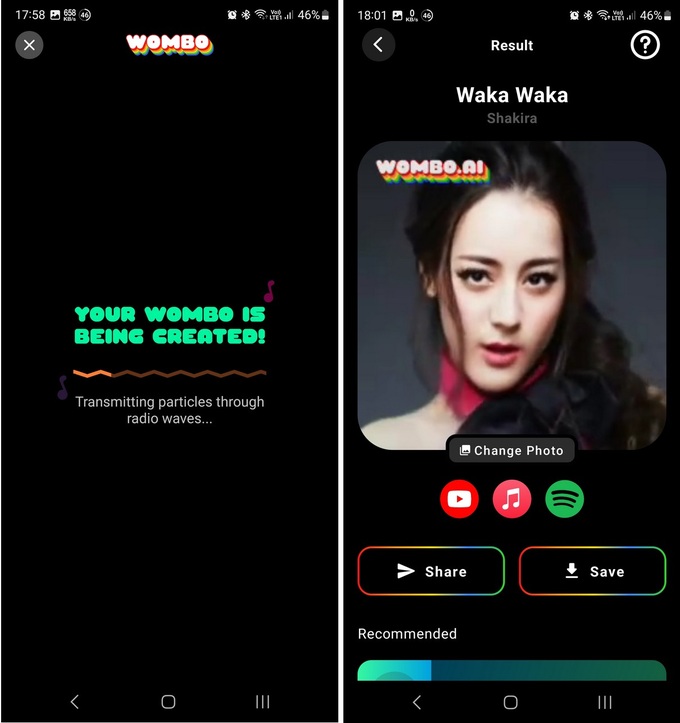
Wombo will create funny animations on your chosen image, bringing your portrait to life and singing along to the music of your chosen song. Not only that, the face in the portrait photo will also sway and move in accordance with the music.
At the final interface, you can press the "Share" button to share the effect video created by Wombo, or press the "Save" button to save this video to your smartphone.
In case you want to add another image or face to process in Wombo, click on the face icon in the lower right corner of the application interface, then press the "+" sign at the next interface to appear. take a photo or select another image to include in the processing application.
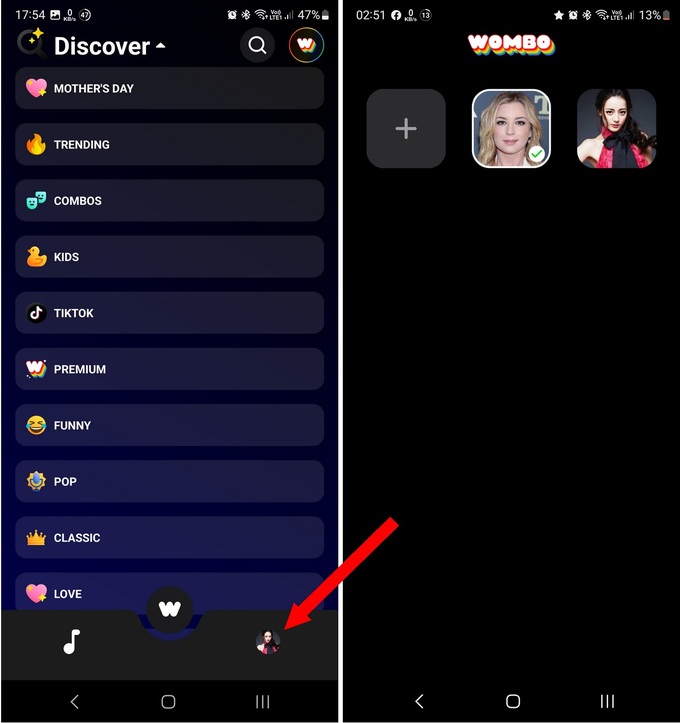
You can follow the steps as instructed above to continue processing the new image you just selected, helping to create a funny animation effect on your image.
 English
  Vietnamese