

To use ChatGPT, users need to register for an account. However, at present, ChatGPT does not allow Vietnamese users to register for an account to use. The following article will help you deal with this problem.
In early February, Microsoft introduced a completely new Bing search engine, integrated with artificial intelligence ChatGPT. This tool allows Bing to give answers to users through conversations, instead of just performing the usual search function as before.
After a period of testing with a limited number of users, recently Microsoft has officially opened the door, allowing users to use the Bing search engine integrated with ChatGPT. This means that users in Vietnam can also use ChatGPT through Microsoft's Bing without having to register for an account like before.
ChatGPT on Bing supports Vietnamese well, allowing users to conduct conversations or give ChatGPT commands entirely in Vietnamese.
Instructions for using ChatGPT on Bing of Microsoft
Currently, Microsoft has equipped Bing to integrate ChatGPT into the latest version of Edge web browser. Edge web browser compatible with Windows 8, 10, 11; MacOS and even Linux.
To use ChatGPT on Edge browser, you can upgrade your Edge web browser to the latest version.
After you upgrade or install Microsoft Edge to the latest version, you'll see the Bing search engine's icon integrated in the upper-right corner of your web browser's toolbar.
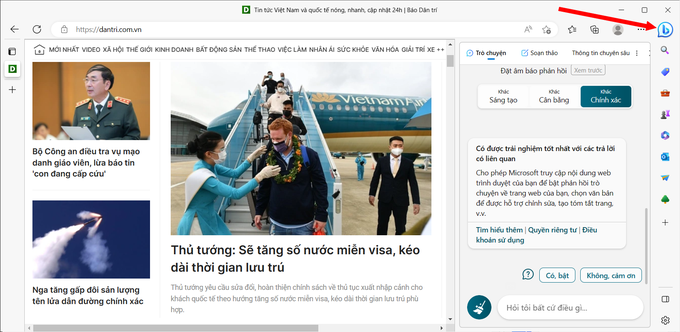
At the dialog box that appears, scroll down, click the "Yes, turn on" button to experience the latest features of ChatGPT integrated on Bing.
To chat with ChatGPT integrated on Bing, click the Bing icon on Edge browser, select the "Chat" tab, then ask questions in the chat box below. ChatGPT will give answers to users in the form of conversations with content entirely in Vietnamese.
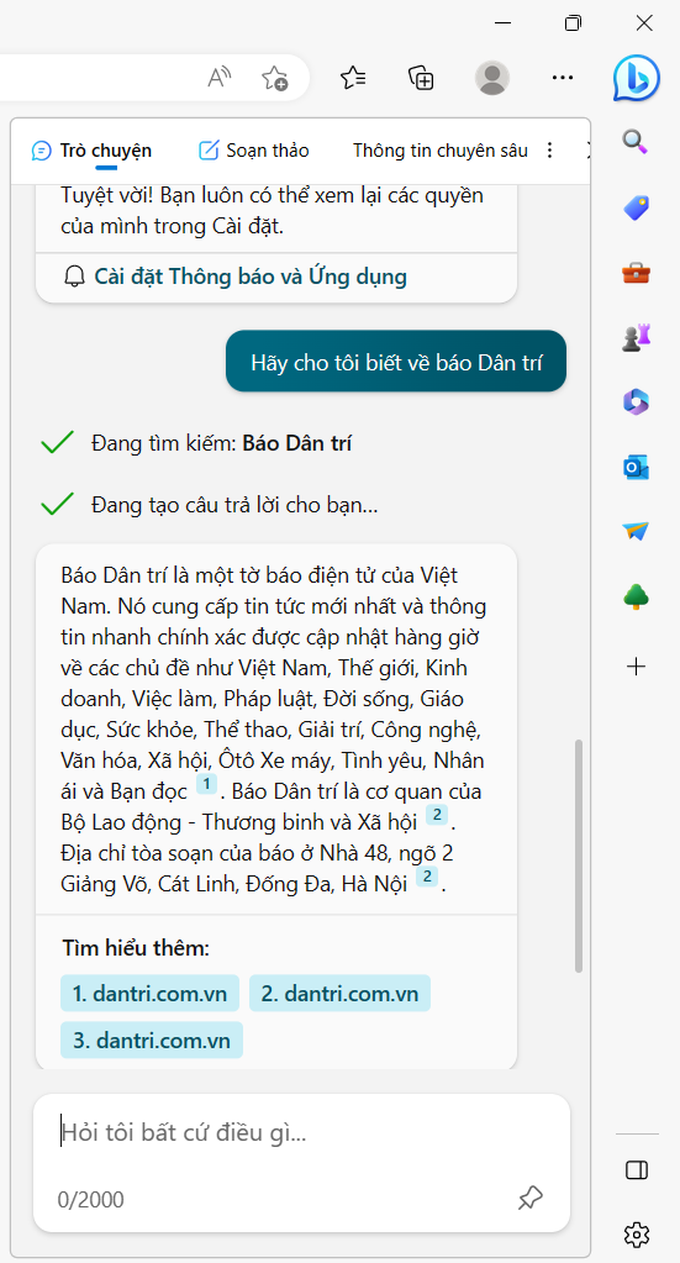
The information provided by ChatGPT on Bing has source citations, users can click on the links provided by this tool to verify the information for themselves.
Not only helping to answer questions, users can also ask ChatGPT integrated on Bing to write poetry or tell a joke…
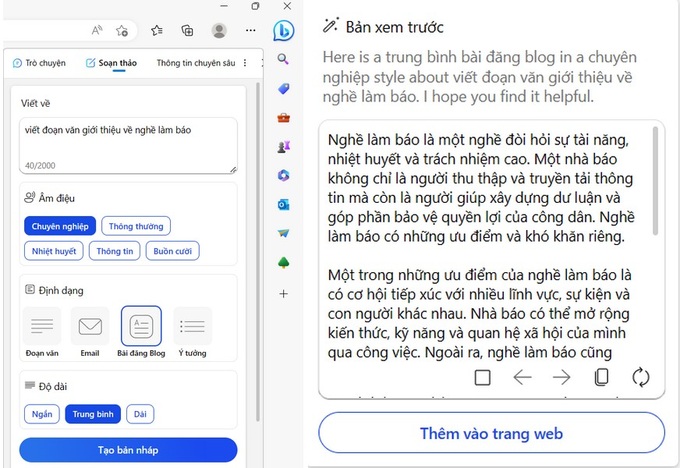
In addition to the chatbot function, users can also request ChatGPT on Bing to assist in writing emails, composing posts or blog posts, etc. To use this function, you select the "Edit" tab. At the interface that appears, enter the request to be edited in the "Write about" box, select the tone type, the type of the article (paragraph, email or blog post …), the length of the article, then press the button. “Create a draft”.
The text of the paragraph will be generated by ChatGPT in the box below. If you are not satisfied, you can change the parameters and click the "Create Draft" button again to let ChatGPT edit a new text content.
Testing shows that ChatGPT on Bing works well, without the overload like when using ChatGPT on a web browser. It is important that users in Vietnam will have the opportunity to experience ChatGPT without having to register for an account, as the official website of ChatGPT has not yet supported Vietnamese users.
From the Internet
 English
  Vietnamese